People Also Ask Questions
Last updated: February 3, 2026
The People Also Ask Questions node retrieves Google “People Also Ask” (PAA) questions related to a search query. Use this step to gather user-intent signals, uncover related questions, and understand how audiences search around a topic or brand.
This node is valuable for Agents involving content strategy, SEO research, competitive analysis, and generating prompt inputs for downstream LLM steps.
See this document for additional instructions on adding this node to an Agent, and this document for a full list of available nodes.
When to use this node
Use People Also Ask Questions for tasks such as:
Identifying common questions users ask about a product, brand, or topic
Expanding research inputs for SEO or AEO Agents
Generating question sets to feed into LLM analysis or summarization
Discovering related informational intents for content planning
Node configuration
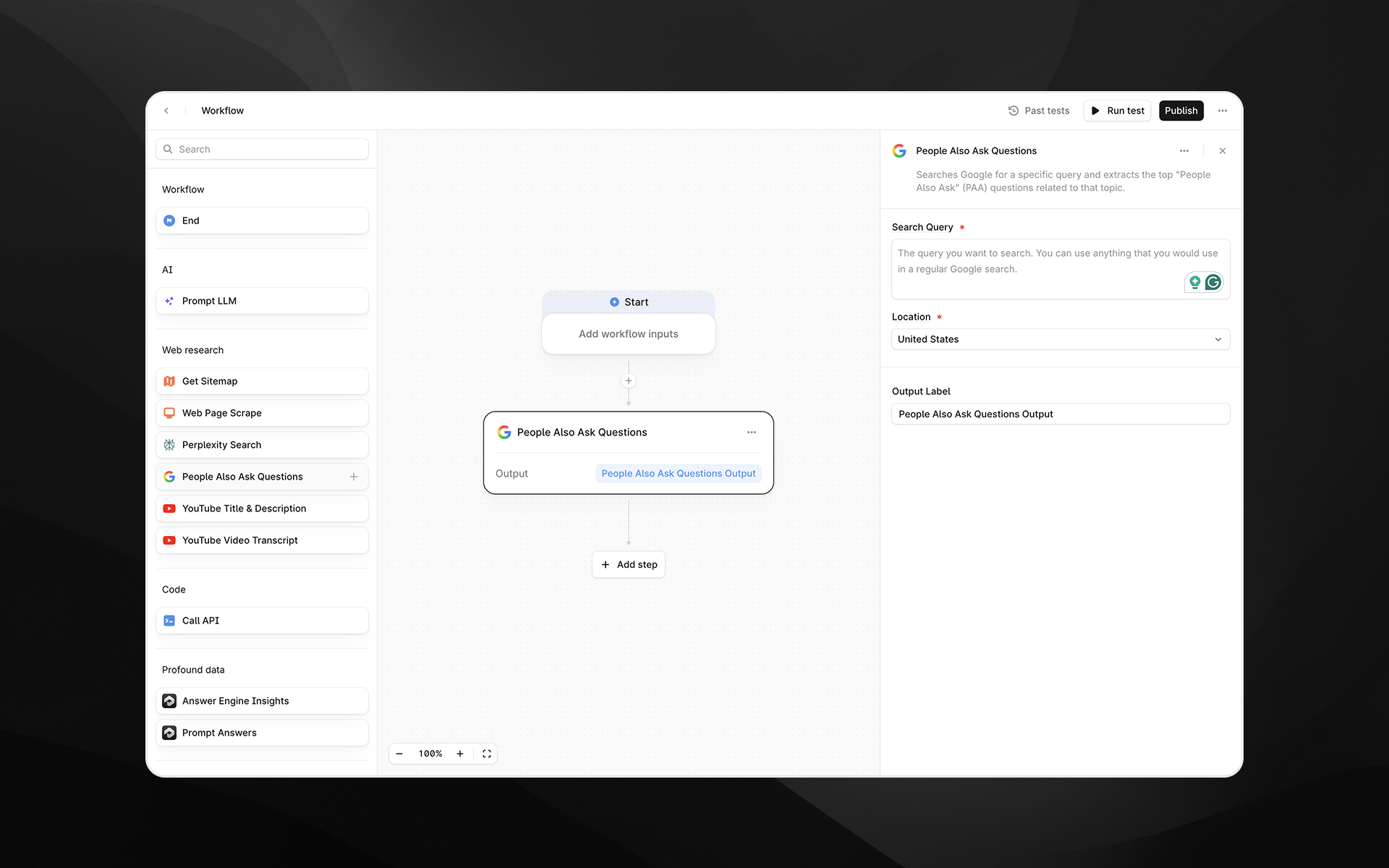
Selecting the People Also Ask Questions node opens its configuration panel on the right side of the Agent Builder.
Query
Enter the search query you want to retrieve People Also Ask questions for.
You can:
Type a static query directly
Insert variables from earlier Agent steps by typing
/
Examples:
“What is AI visibility?”
“{{brand_name}} pricing”
“Best CRM tools for enterprises”
Output Label
Provide a descriptive label for the output of this step. The label becomes a variable that downstream steps can reference.
Examples:
paa_questionsrelated_questionsuser_intent_questions
Output
This node returns a list of People Also Ask questions related to the provided query. The output is formatted as text and can be consumed by:
Prompt LLM steps (for clustering, summarizing, rewriting, or categorizing questions)
Research Agents that require question expansion
Competitive or content analysis Agents
Example usage
1. Generate content ideas
Add a People Also Ask Questions step with a query like:
“Generative AI for marketing”Add a Prompt LLM step to cluster the questions:
Group the following questions into thematic categories and provide a short summary for each group:

{{paa_questions.output}}
2. Expand a topic dynamically using Agent inputs
Add an Agent input called topic.
Use People Also Ask Questions with the query:
“{{topic}}”Pass the results into another node to extract themes or generate content outlines.
Best practices
Use specific queries to retrieve more targeted PAA questions.
Combine this step with LLM nodes to analyze, categorize, or summarize questions.
Use descriptive output labels to keep Agents organized as complexity grows.
Troubleshooting
I’m receiving few or no questions
Try broadening the query, removing brand-specific terms, or using a more general topic.
Variables do not resolve in the query field
Insert Agent variables by typing / and selecting from the list.
Output seems repetitive
Google PAA is dynamic; refine the query or process the output through an LLM to deduplicate or cluster results.