Get Sitemap
Last updated: June 12, 2026
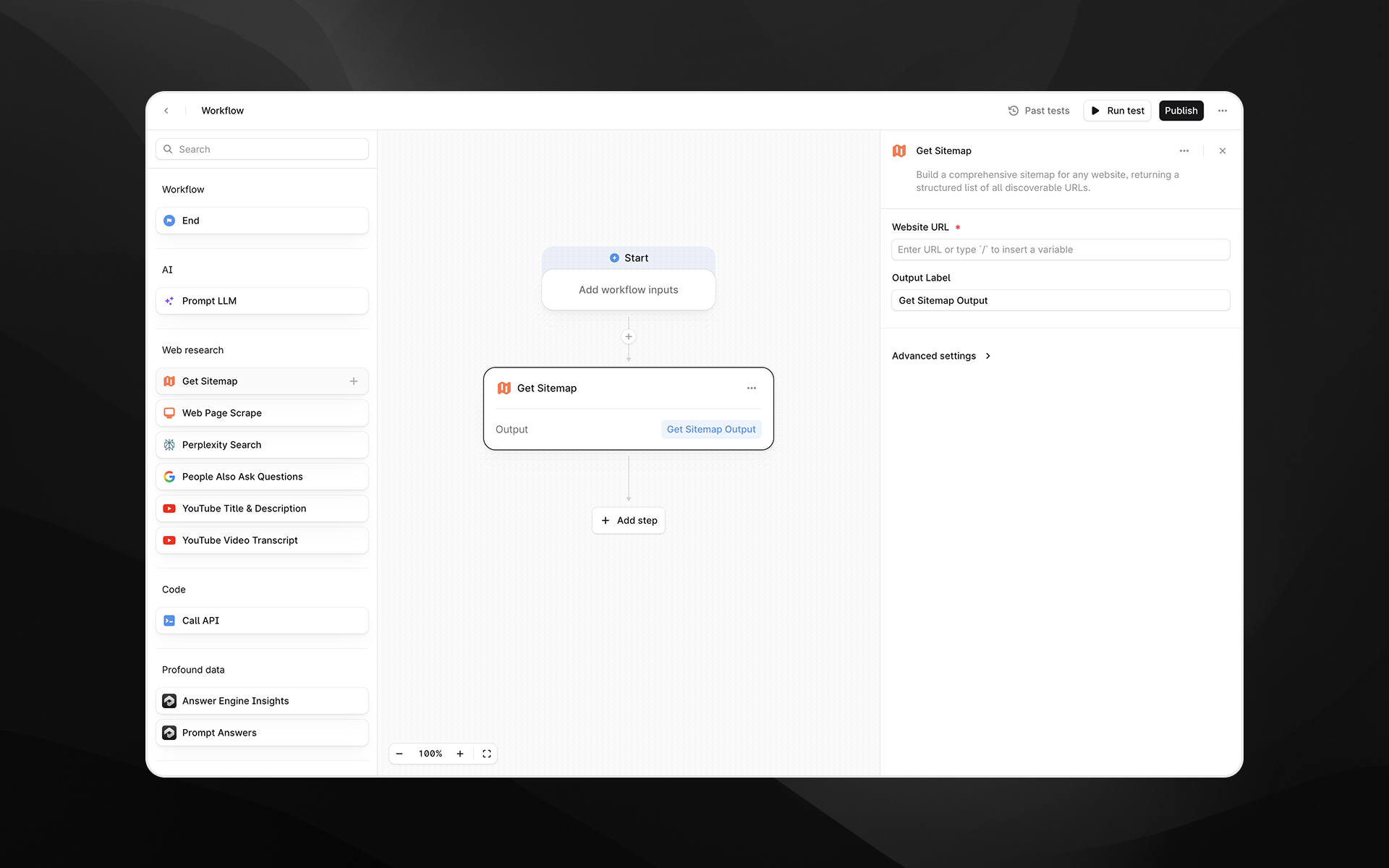
The Get Sitemap node builds a comprehensive sitemap for any publicly accessible website. It returns a structured list of all discoverable URLs, giving you a complete view of a site’s content footprint.
This is useful for research, content audits, competitive analysis, content planning, and feeding large sets of URLs into downstream Agent steps.
Behind the scenes, this node uses Firecrawl’s sitemap and site-mapping capabilities to crawl a domain and return a clean, deduplicated list of URLs, but the process is fully abstracted for you inside Profound.
Check out 📄 Getting started with Agents to learn how to add this node to an Agent.
When to use this node
Use Get Sitemap when you want to:
Audit all URLs on your own site or a competitor’s
Identify content gaps or opportunities for AEO
Build Agents that automatically analyze or summarize entire sites
Retrieve source URLs for bulk scraping, bulk insights, or large-scale content research
Feed multiple URLs into LLM steps for comparison, clustering, or extraction
Conduct technical/SEO reviews or map site hierarchy
This is a foundational node for building AEO-aware research pipelines.
Node configuration
Website URL (required)
Enter the base URL of the website you want to map.
Examples:
https://example.comhttps://www.competitor-site.comhttps://docs.example.com
The node will crawl the domain starting from this URL and attempt to discover all reachable pages.
You can type the URL directly or use / to insert variables from earlier Agent steps.
Output Label
Provide a name for the node's result, such as:
sitemapsite_urlsmapped_pages
This label will reference the sitemap output in later steps.
Advanced settings
Expand Advanced settings to configure crawl depth and filtering.
Search Query
Allows you to filter the sitemap results by keyword.
Examples:
blogpricingcase-studyai
This is helpful when you only want URLs matching a specific topic or section of the site.
Maximum Results
Limits the number of URLs returned.
Default: 100
Set this higher or lower depending on your use case:
100–500 for competitive research
500–2,000 for large content audits
10–50 for quick sampling or lightweight Agents
Output
The node returns a structured list of URLs in a clean, machine-readable format.
Each entry typically includes:
The page URL
Basic metadata discovered during crawling
Normalized and deduplicated links
This output can be consumed directly by:
Custom analysis or extraction steps
Example usage
1. Build a full competitor content audit
Add Get Sitemap with
https://competitor.comFeed output into 📄 Web Page Scrape using an loop or batched Agent
Analyze patterns using 📄 Prompt LLM (e.g., topics, structure, gaps)
Generate a research report or summary
2. Identify content gaps for AEO
Use Get Sitemap to list all pages on your site
Use 📄 Citation Pages to see which pages are cited
Use 📄 Prompt LLM to identify pages not appearing in answer engines
Generate recommendations or content improvements
3. Large-scale content generation
Retrieve a site’s URLs
Filter using the Search Query field (e.g.,
/blog)Feed selected URLs into a 📄 Create Content Brief or 📄 Generate Article chain
Produce updated or derivative content at scale
Best practices
Start with a reasonable limit (e.g., 200 URLs) before scaling up, especially for large sites.
Use Search Query to narrow results when you only need a subset of the content.
Combine with 📄 Prompt LLM to cluster or categorize URLs.
For large enterprise websites, run multiple Get Sitemap nodes with different starting URLs (e.g.,
/blog,/products,/docs).Use descriptive output labels when chaining multiple sitemap operations.