About Agents
Last updated: May 24, 2026
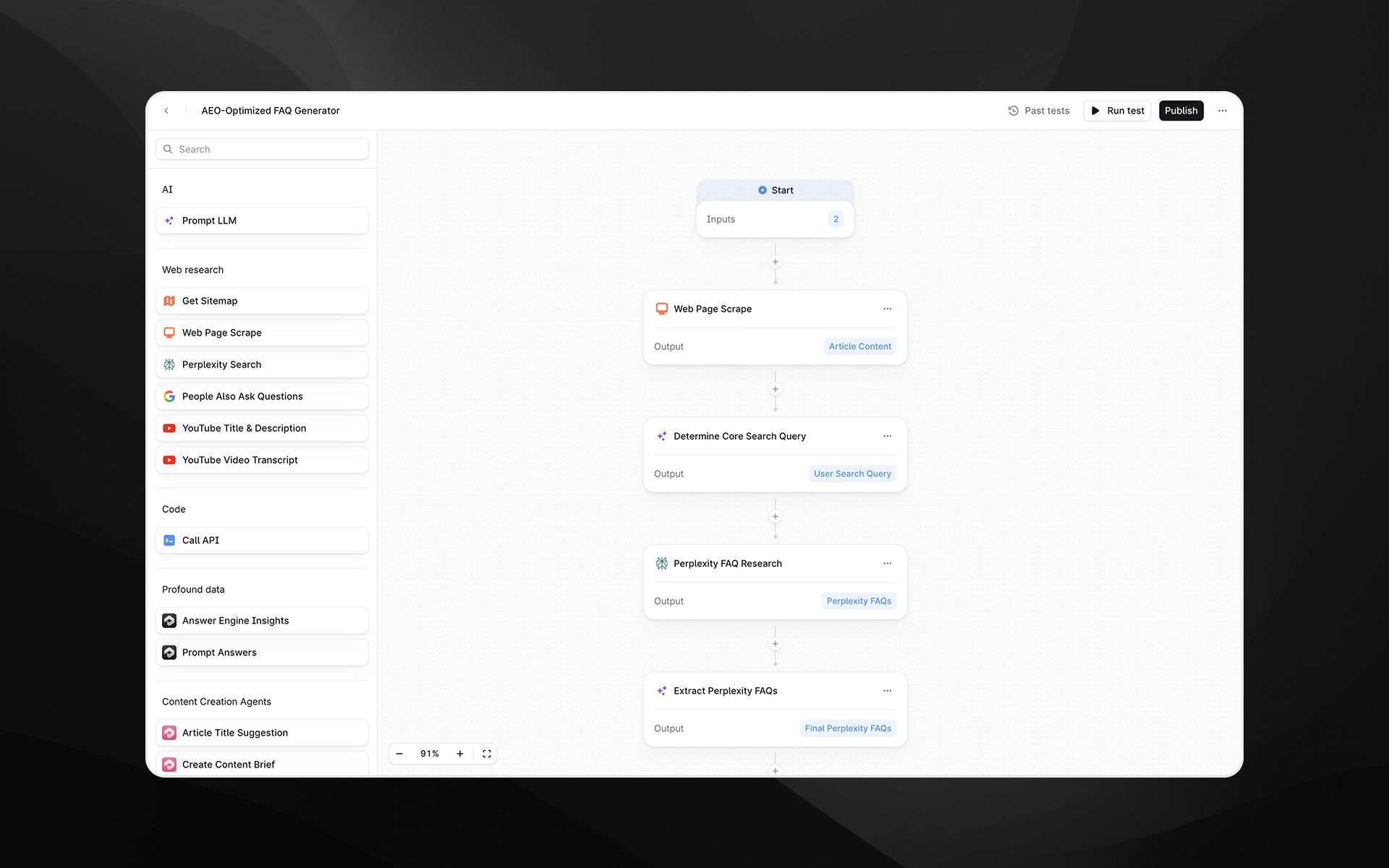
Overview
Profound Agents is a modular, node-based workflow builder that lets your team automate the full AEO cycle, from pulling live visibility data all the way to publishing optimized content into your CMS. It brings together Profound's AEO data, leading AI models, and the tools your team already uses into a single, connected pipeline.
Because Agents are highly versatile, their use cases are broad. Examples include:
Running Answer Engine Insights reports and automatically sending them to your team via Slack.
Identifying content gaps and automatically creating optimized content to fill those gaps.
Detecting underperforming content and automatically updating it to perform better in AI search.
The Agents product isn't designed to solve only a fixed set of use cases. It's built to adapt to your team's unique needs. Use the natural language Agent Assistant, start from a pre-built template, or build from a blank canvas.
The problem Agents solve
Profound's measurement products give your team a precise picture of how your brand performs across AI search. But acting on that insight has historically required a lot of manual effort: stitching together spreadsheets, jumping between tools, and more.
By the time a human-driven workflow completes, the insights might already be out of date. Agents close that gap, turning Profound data into automated action with minimal manual overhead.
Enterprise marketing and SEO teams working with Profound have flagged these pain points directly:
Insights don't translate into action fast enough. Analysis workflows are slow and manually intensive.
Monitoring AI citations, share of voice, and answer engine performance across hundreds of prompts can't be done sustainably by hand.
Producing and publishing AEO-optimized content consistently at scale requires a level of coordination that manual processes can't maintain.
How Agents work
An Agent is built on a visual canvas made up of nodes. Each node performs a specific task: querying Profound data, prompting an AI model, fetching content from the web, or publishing to a connected platform. Nodes are connected in sequence, and data passes between them as variables.
This structure means you can build workflows of any complexity: a simple two-step Agent that drafts a content brief and sends it to Slack, or a multi-step pipeline that pulls visibility data, identifies content gaps, generates optimized articles, and publishes them directly to your CMS.
Agent components
Every Agent is made up of the same building blocks:
Inputs — Information you provide each time you start an Agent. Inputs can include text, Profound data, files, or dropdown selections.
Nodes — The steps of your Agent workflow. Each node performs a specific task, like querying data, generating content, sending a message, or publishing to a CMS.
Variables — Every piece of data that flows in and out of a node. Variables can be passed between steps and reused at any point in the workflow.
Agent output — The final result produced after all steps run. This can be generated content, a published article, a Slack notification, or a confirmation that the Agent ran successfully.
Agent Assistant
Agent Assistant is the best starting point, particularly for teams that are new to Agents. Use it to get a custom Agent off the ground quickly.
Agent Assistant is a natural-language interface for building Agents. Rather than constructing a pipeline node by node, describe what you want to accomplish in plain language and Agent Assistant creates an Agent structure for you.
Use Agent Assistant to:
Describe your goal and have Agent Assistant generate a new Agent from scratch.
Refine or modify an existing Agent by describing the changes you want.
Explore what's possible: ask Agent Assistant questions and it will suggest relevant node types and common patterns based on your use case.
Templates
Templates are pre-built Agents that address common use cases. Use a template as-is or treat it as a starting point for a custom Agent.
Popular templates include:
AEO Content Refresh — Identify underperforming content and automatically generate updated, optimized versions.
Generate AEO-Optimized FAQs — Build question-and-answer content structured for AI answer engines.
Query Fanout Estimator — Analyze how a topic expands across related queries.
Generate blog Post from YouTube Video — Transform video content into written articles.
Answer Engine Insights to Slack — Send AEO reports directly to your team channel on a schedule.
If you're new to Agents and want to explore working with templates, try the Starter Template. It's designed to help you get familiar with Agents and their core components: inputs, action nodes, and an output.
Conditionals and iterations
Agents support branching logic and loops, so your workflows can handle real-world complexity.
Conditionals let your Agent take different paths based on the value of a variable. For example, routing high-visibility content to one workflow and low-visibility content to another, or only publishing content if a quality check passes.
Iterations let your Agent apply the same sequence of steps to every item in a list. For example, iterate over a list of competitor websites to extract their pricing, then pass that combined output to an LLM node to generate a new pricing page for your site.
Sheets
Sheets lets you run Agents at scale by supplying a spreadsheet of inputs instead of running an Agent one item at a time. Upload a CSV or connect a Google Sheet, and Profound processes each row as a separate Agent run in parallel.
This is particularly useful for content operations teams managing large keyword lists, site audits, or bulk content generation projects.