Getting started
Last updated: July 10, 2026
Step 1: Open Pages
Log in to the Profound platform and open Pages from the left sidebar.
Step 2: Choose your domain and date range
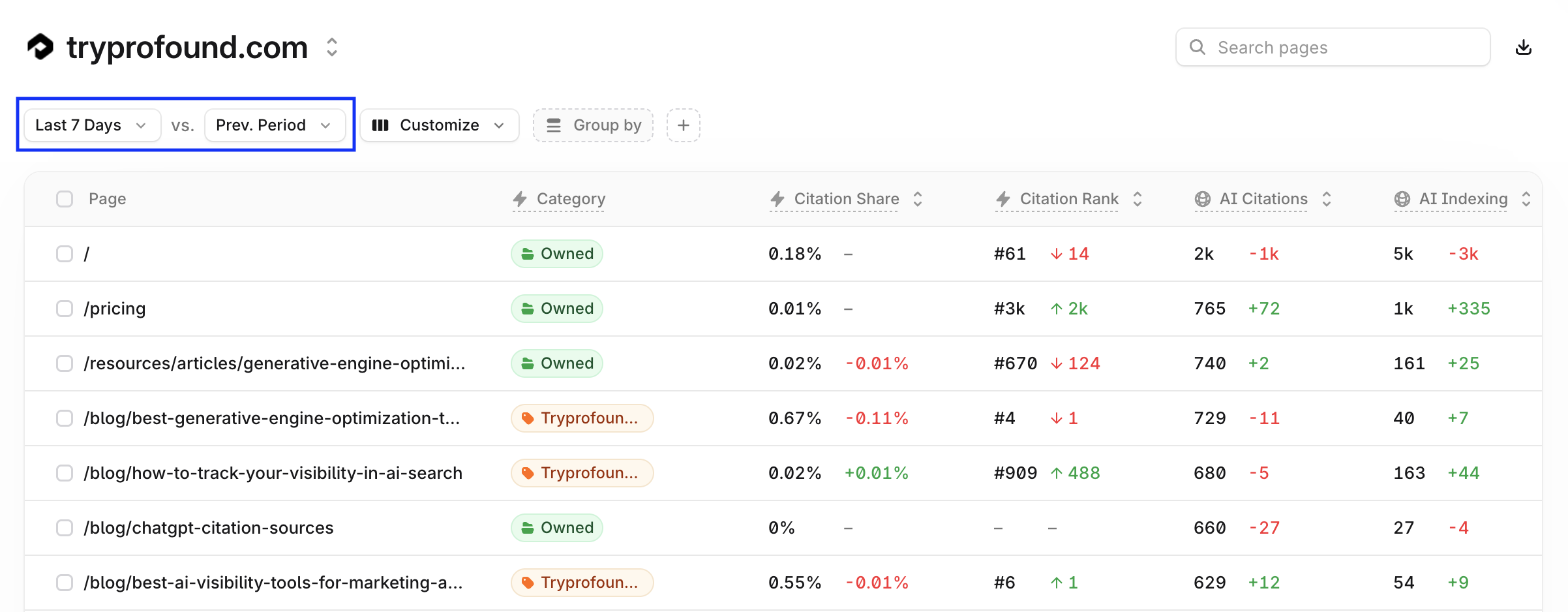
Select the domain you want to review, then set the date range and comparison period at the top of the view, for example, Last 7 Days versus the previous period.
Step 3: Find your top pages
Pages lists every page with its metrics in one row. Sort by Citation Share to see which pages answer engines reference most, use the Customize option to choose which columns appear in the dashboard, or use Group by to roll pages up by category.
Step 4: Open a page to see its analytics
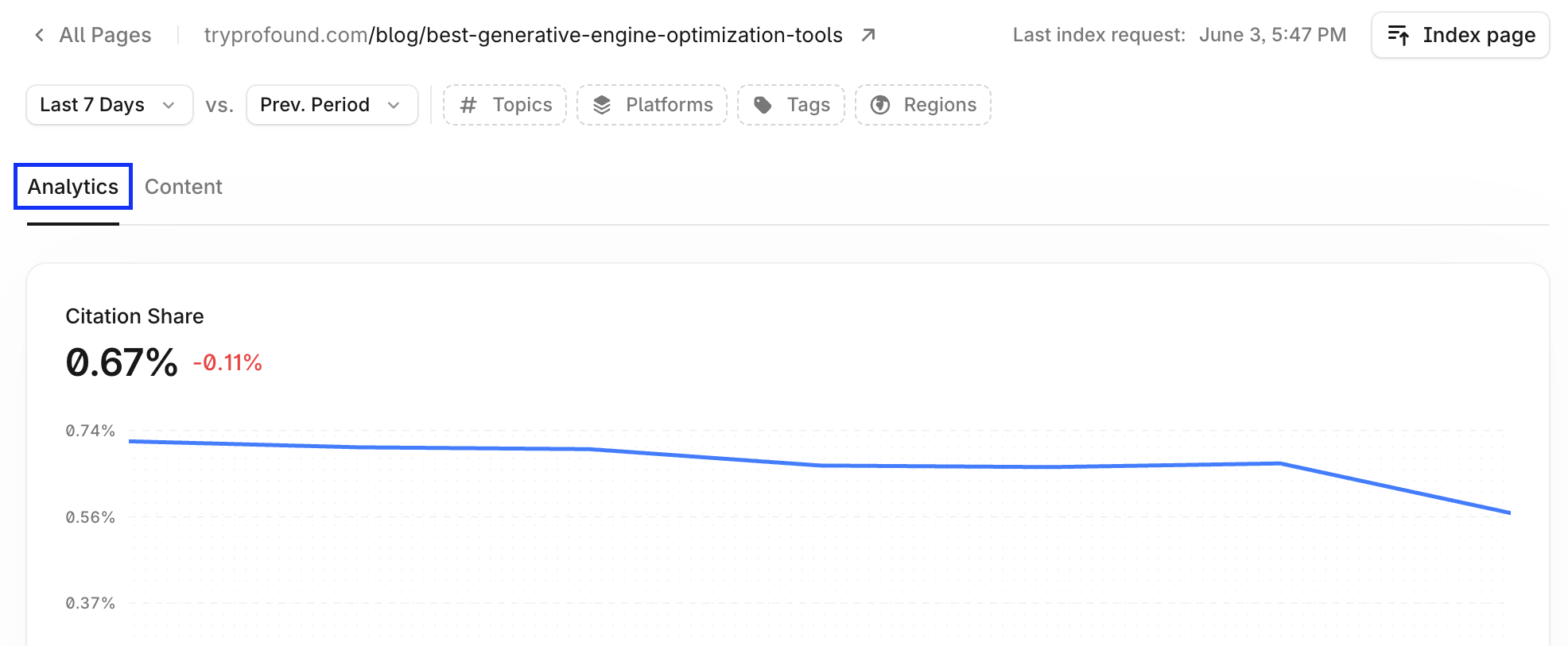
Click any page to open its detailed view. The Analytics tab shows the citation share trend, AI bot activity by platform, what information on the page is accessible to bots, how the page ranks against the Profound Network, and a breakdown of where the page is cited by prompt, topic, platform, and more.
Step 5: Review and improve content
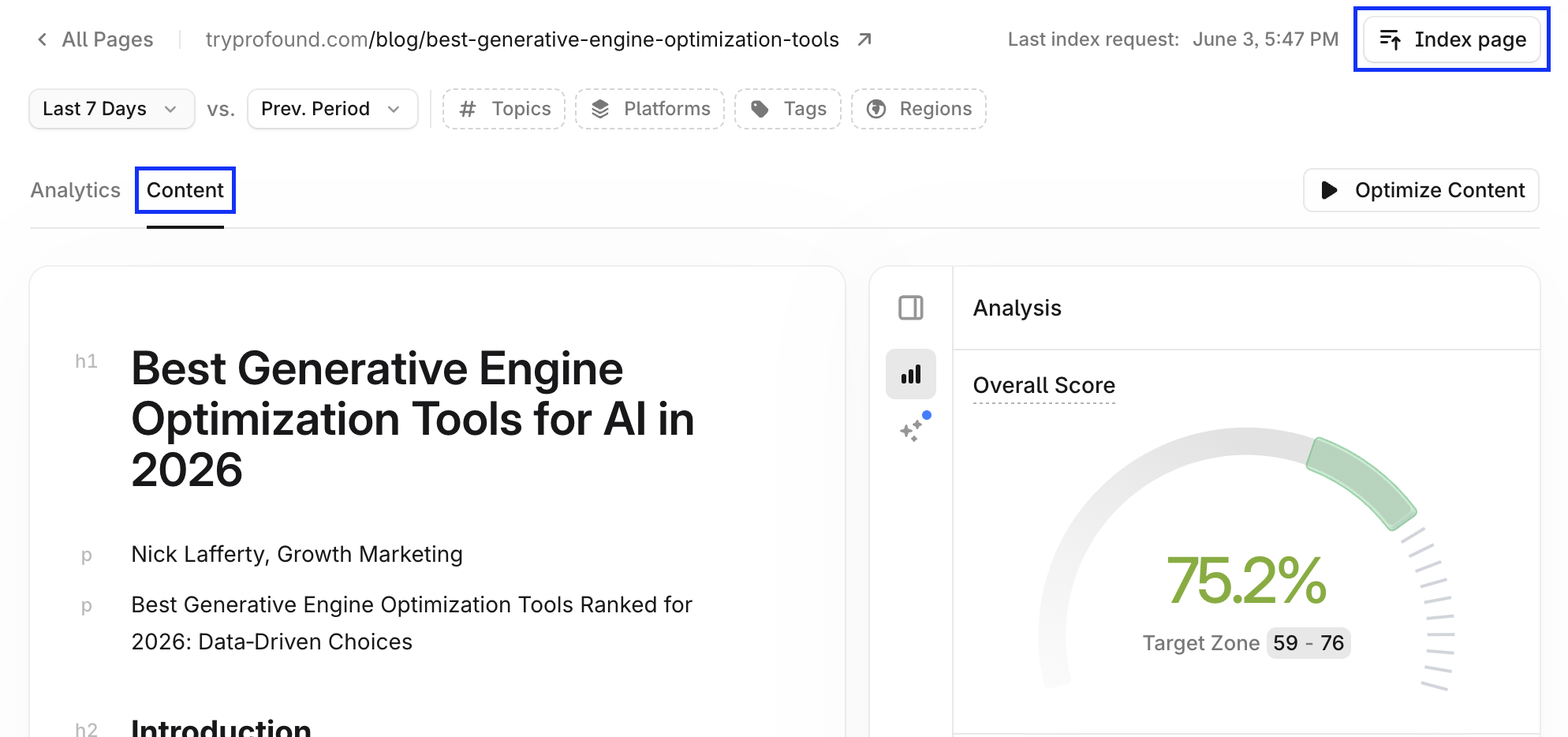
Switch to the Content tab to see the page's content score and optimization recommendations. Work through the suggested content fixes. Select Index page in the top right of the view to submit updated content for faster indexing.
Step 6: Connect Agent Analytics for the full picture
To add live bot and referral activity, AI agent visits, and per-page benchmarks, set up Agent Analytics through your CDN or server-level integration.
To learn more about setting up Agent Analytics, see the Agent Analytics section in the Profound developer documentation.