FAQ
Last updated: August 24, 2026
This feature is available to Enterprise customers with at least 10 Agent runs. Not on an Enterprise plan yet? Request a demo to see what's possible.
Who can see Command Center?
Any user with an Admin role can access the Command Center dashboard. Learn more about roles and permissions in Profound platform documentation.
How is the Hours Saved metric calculated?
Time saved is estimated by multiplying the number of agent runs in each marketing category by the configured manual time for that category. Profound uses average manual completion time as the default, and you can edit the values per category. Open the Total Hours Saved Breakdown to see the exact numbers behind the total.
What happens to the Power Users leaderboard if someone leaves the team?
Users who have left your organization but have enough agent usage to rank still appear on the leaderboard, tagged as Former Member.
Where does the benchmarking data come from?
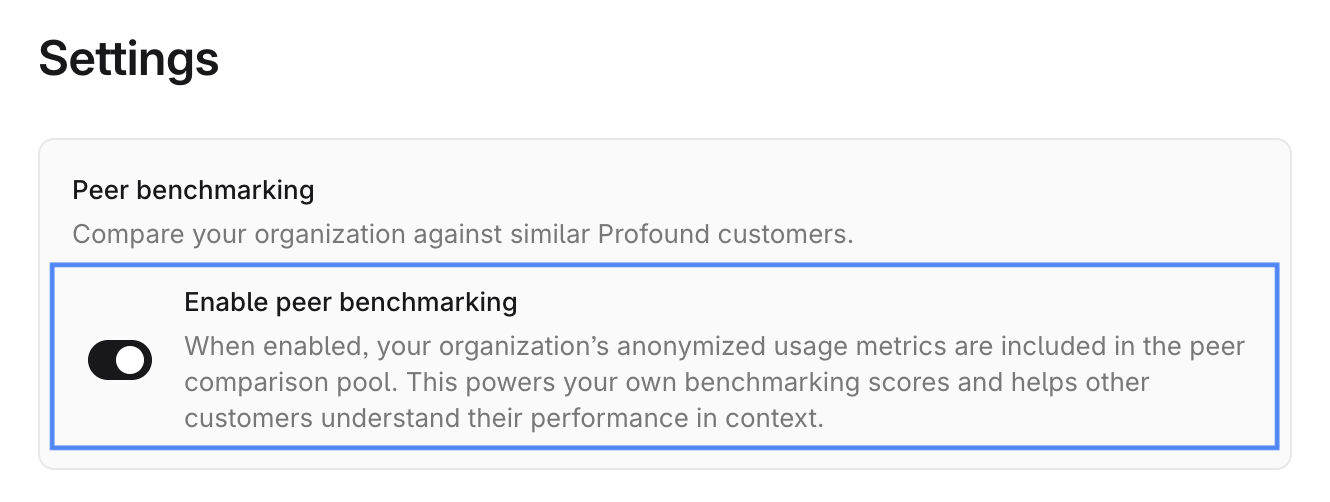
Benchmarking data comes from an opt-in, anonymized, aggregated pool of Profound users. Sharing benchmarking data is enabled by default.
Can I opt out of sharing my platform usage data?
Yes. To opt out, go to Settings in the top right of the Command Center view and toggle off the Enable peer benchmarking setting. Once you opt out of data sharing, you lose access to the benchmarking feature.