Profound Documents
Last updated: June 4, 2026
Documents give you a built-in editor to store, refine, and collaborate on generated content without leaving Profound.
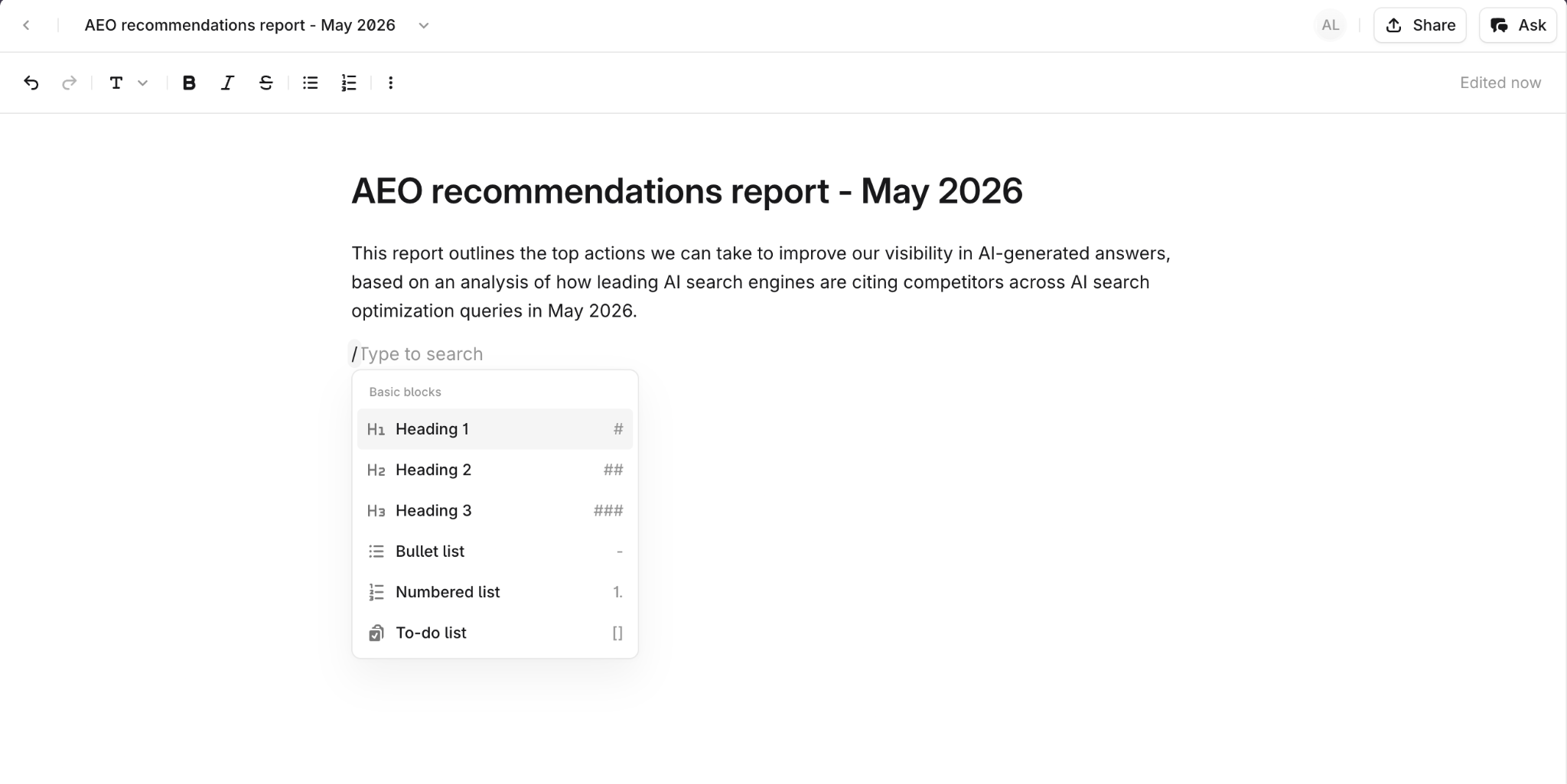
It works like other document collaboration services: rich text editing, real-time co-editing, and more. The difference is that it lives inside Profound, directly connected to your Agents and other areas of the platform.
A persistent home for generated content
Documents give every platform tool output a place to live inside Profound. Instead of exporting or copying, open the result directly in a Profound Document, edit it in place, and share it with your team. Your colleagues can join in real time, leave comments, and iterate on the content alongside you.
Agents can also read and write to Documents programmatically through Profound Docs Agent nodes, so you can build workflows where Documents act as the handoff point between one Agent and the next.
Key features
Rich text editor
Write and format content using an inline toolbar or slash command menu. The editor supports the formatting you'd expect: headings, lists, bold text, links, and more.
Real-time collaboration
Multiple people can work on the same Document at once. Collaborator avatars appear on the page so you always know who's viewing or editing.
Comments with resolution
Leave inline comments on any part of a Document, reply to threads, and resolve them when the feedback is addressed.
Profound Docs Agent nodes
Agents can create, read, update, and delete Documents programmatically. This lets you build end-to-end workflows where Documents serve as the storage layer between Agent steps.
Getting started
Creating a Document takes seconds. The fastest path is through an Agent output, but you can also start from scratch.
Step 1: Create a Document
To create a Document manually, go to docs.profound.new to open a blank Document instantly, or select Documents from the left navigation sidebar in Profound.
To save an Agent output into a Profound Document, include Profound Docs Agent nodes (Create Doc or Update Doc) in any content Agent. Alternatively, go into any Agent’s Past runs and open the output in Documents.
Step 2: Iterate
Once your generated content is ready, review your Document manually, then optionally feed the refined version into an Agent for further optimization.
Step 3: Collaborate
Share the Document with colleagues in your Profound org. They'll see your real-time presence, can leave comments on any section, and can edit alongside you.