Interpret Answer Engine Insights
Last updated: June 13, 2026
For more details and examples of interpreting Answer Engine Insights data, see the Profound 101 course in Profound University.
Answer Engine Insights breaks down your brand’s performance across several analytical dimensions. Add depth to your analysis by using the following Profound data views within Answer Engine Insights:
Visibility
Regions
Citations
Platforms
Sentiment
Filters
Filters are available throughout Answer Engine Insights. They allow you to adjust the analytical time frame, narrow the data view, and apply groupings. Filters appear as dropdown menus located beneath the top navigation bar.
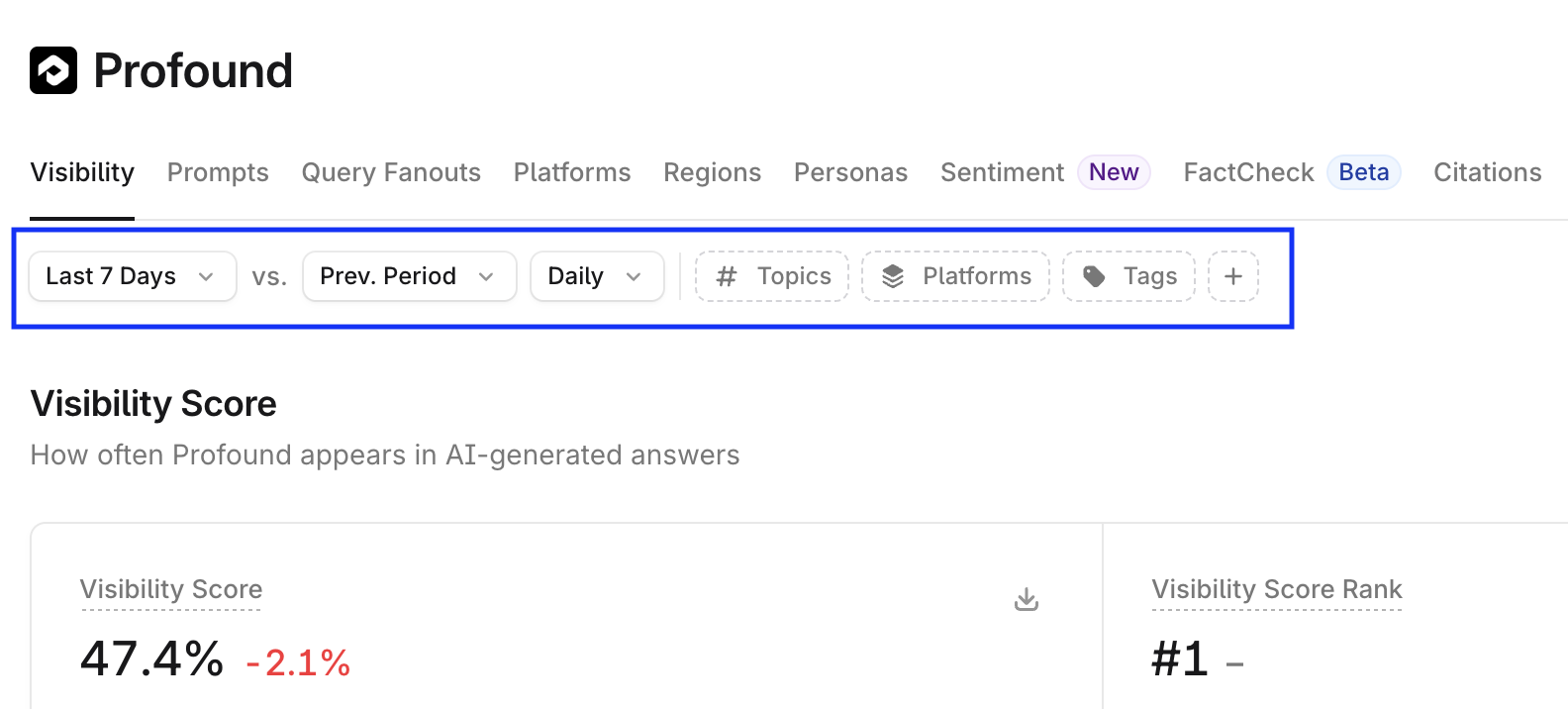
Date range filter
Use the date range filter to select the time window of the answer engine response collection. You can choose a preset window (such as the previous 7 days) or define a custom range using the calendar selector.
After selecting a time frame, only answer engine responses generated during that period will appear in the Answer Engine Insights charts.
Charts display differences by calculating the change between the selected time frame and a previous period. You can adjust this comparison period using the Prev. Period dropdown
Attribute filters
Several attribute filters let you narrow chart data. While each chart includes filters relevant to its context, filter functionality is consistent across charts.
To adjust filters, open the dropdown for the desired attribute (Topics, Platforms, and so on) and select any attribute group you wish to include in the chart view.
Visibility
The Visibility tab in Answer Engine Insights breaks down your brand’s visibility across answer engine responses.
Visibility Score
Visibility Score is displayed as both a chart and a rankings table.
The chart shows either a line graph (day-to-day score changes) or a bar chart (performance against competitors).
The rankings table displays your brand’s rank by score relative to competitors
Share of Voice
Share of Voice is displayed as both a chart and a rankings table.
The chart shows either a line graph (day-to-day changes in share of voice) or a donut chart (percentage share compared to competitors).
The rankings table shows your brand’s rank by share of voice relative to competitors
Visibility Rankings by Topic
Visibility Rankings by Topic table shows your brand’s rankings across specific topics.
Further prompt analysis is available by expanding a topic, and looking at the prompts categorized within that topic. Rankings are available for both the topic aggregation, as well as the individual prompts within that topic.
Regions
The Regions tab in Answer Engine Insights analyzes your brand’s regional visibility through answer engine responses.
Regional analysis is available as a line chart broken down by selected regions, or a world heat map. Both serve as visualizations of your brand’s visibility across different countries.
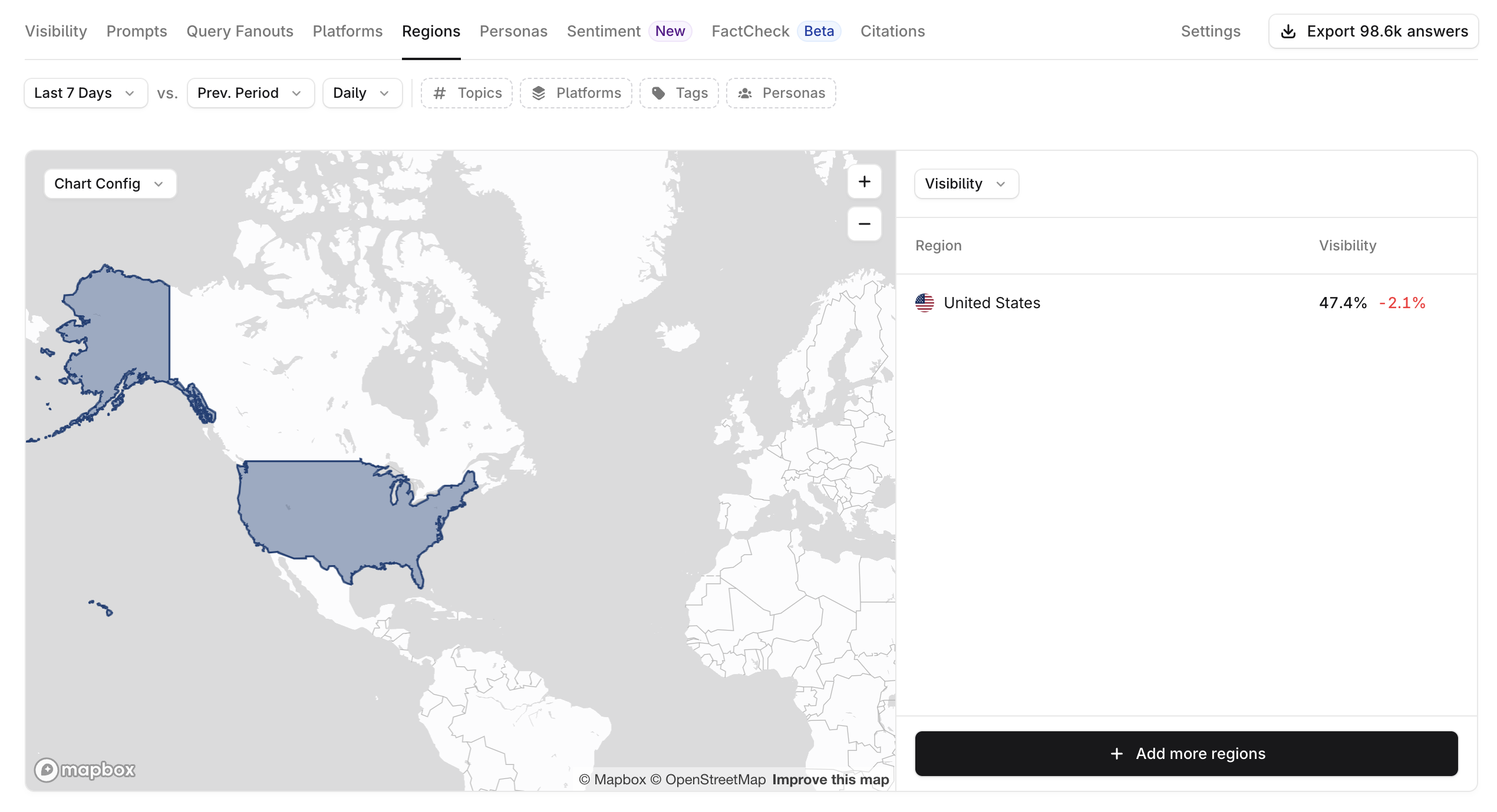
Select + Add more regions to request that additional countries be included in the analysis.
Citations
The Citation tab in Answer Engine Insights assesses the prevalence of citations from your domains in answer engine responses.
Citation Share
Citation Share is displayed as both a chart and a rankings table.
The chart shows either a line graph (day-to-day changes in citation share) or a donut chart (percentage share compared to competitors).
Citation Categories
Citation Categories classify the sources AI platforms cite, helping you understand where your visibility comes from and identify opportunities.
Owned, Competition, and Custom categories are defined by you in Answer Engine Insights > Settings > Citation Categories. All other categories are assigned automatically but can be overridden in settings.
Top Citation Domains
Top Citation Domains is a ranked list of the most frequently cited domains in AI-generated responses.
Top Citation Pages
Top Citation Pages is a ranked list of the most referenced web pages in AI answers. Multiple pages from the same domain can appear in this list.
Watched Pages
Watched Pages are specific URLs you choose to track for citation performance. While Top Citation Pages lists the most cited pages overall, Watched URLs allows you to define and monitor a custom set of URLs.
Citation Relationships
The Citation Relationships chart visualizes how citations are connected across answer engines and topics.
Clusters represent groups of cited sources that share mentions for a particular topic and platform. For example, if your brand is mentioned in two different publications that are both cited by AI answer engine platforms, those publications will appear in the same cluster.
Platforms
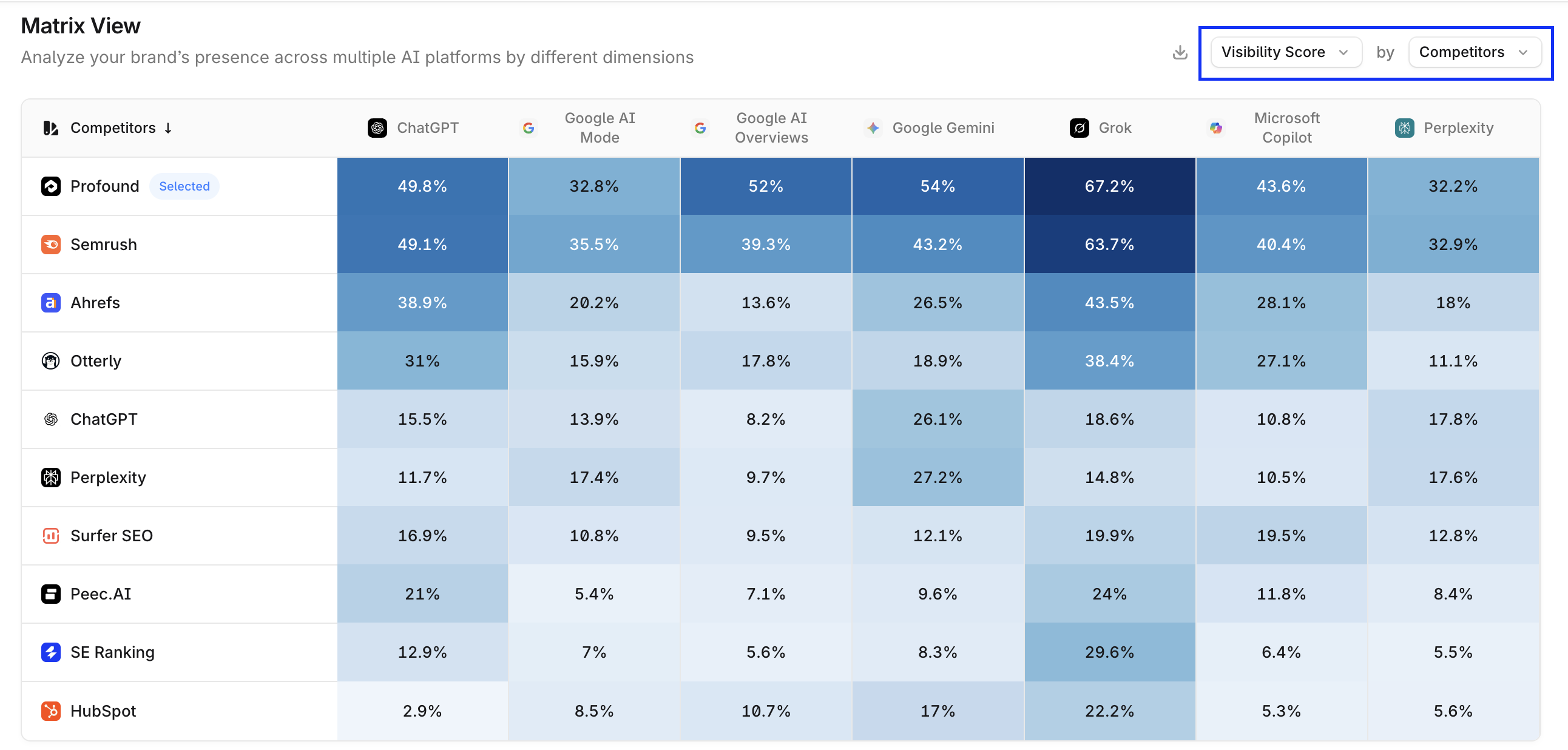
The Platforms tab dissects how your brand is represented across different answer engine tools. Metrics such as Visibility Score, Share of Voice, Citation Share, Sentiment, and Position are all broken down by platform performance.
The Matrix View presents a tabular view of your brand’s Visibility, Share of Voice, or Citation Share across answer engines—compared to competitors, tags, or topics. You can adjust the displayed rows and values via the configuration dropdowns on the top right of the table.
Sentiment
The Sentiment tab in Answer Engine Insights assesses the tone in which your brand is mentioned by answer engines.
To learn more about how Sentiment works, see the 📄 About Sentiment section.